OpenClaw for E-commerce: A Complete Guide to AI-Powered Store Analytics
The complete guide to setting up OpenClaw for e-commerce. Automate store analytics, Shopify workflows, and revenue tracking for $30/mo.
Vigor
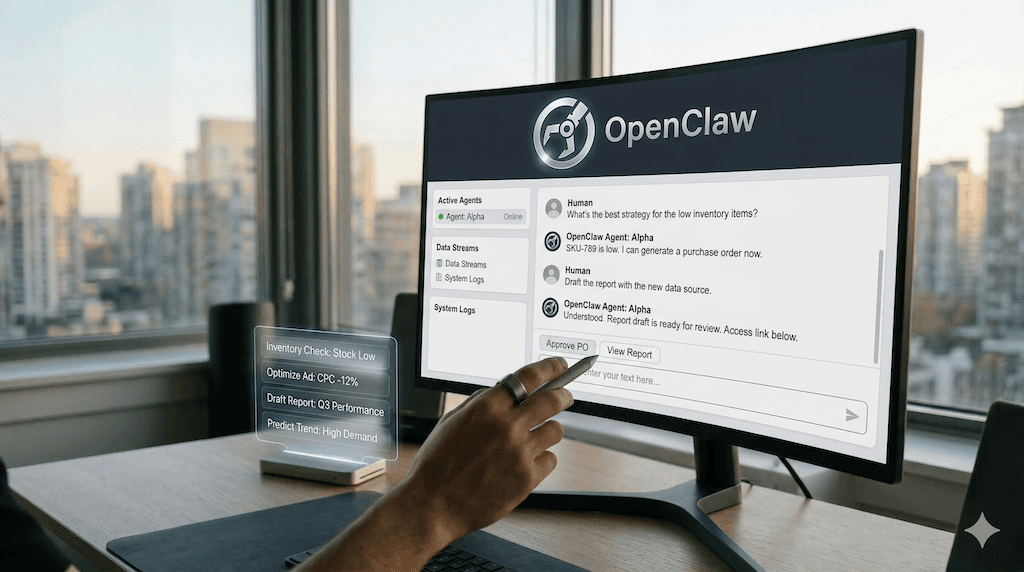
OpenClaw for E-commerce: A Complete Guide to AI-Powered Store Analytics
Commercial e-commerce analytics tools often charge $500 to $2,000 a month for "advanced" insights that you still have to manually interpret. OpenClaw does the same job—and more—for $20 to $35. This is the complete guide to turning OpenClaw into your always-on e-commerce analyst: store intelligence, Shopify-native workflows, and automated revenue tracking included.
What If Your Store Analyst Never Slept?
Imagine having a team member who monitors your Shopify sales every hour, reconciles them with your ad spend, detects margin leaks before they become disasters, and prepares a daily intelligence brief before you even have your first coffee. That is exactly what you are going to build.
Most Shopify sellers are buried in tabs: Shopify Analytics, Google Analytics 4, Meta Ads Manager, and spreadsheets. The setup in this guide collapses those into a single, proactive agent. It costs about $30 a month total—$10 for a small cloud server and $20 for AI API usage. You own the infrastructure, you own the data, and the system works for you 24/7.
This guide walks you through the entire setup, tailored specifically for e-commerce sellers. You don’t need to be a data scientist, but you should be comfortable following terminal instructions. If you can copy and paste commands, you can automate your store intelligence.
What You Will Have When You Are Done
By the end of this guide, your OpenClaw + BiClaw setup will handle four core e-commerce jobs:
- 24/7 Store Intelligence. The system scans your Shopify orders and GA4 traffic every hour, flagging anomalies in conversion rates or AOV immediately.
- Closed-Loop Ad Analysis. It joins your Meta/Google ad spend with actual Shopify net sales (after refunds) to give you a true, daily ROAS that dashboards often miss.
- Automated Morning Briefs. Every morning at 7:30 AM, you get a Telegram or Slack message with the only numbers that matter: Net Sales, Blended ROAS, and Inventory Risks.
- Margin Leak Detection. The AI identifies products with high refund rates or coupon stacking issues, alerting you to protect your bottom line.
What You Need Before Starting
Before you begin, gather these four things:
- A Cloud Server. A basic VPS (DigitalOcean, Hetzner, or AWS Lightsail) with 2GB RAM is perfect ($5–$10/mo).
- A Shopify Store. You will need staff permissions to create an App/API credentials.
- Google Analytics 4 Access. For traffic and attribution data.
- An Anthropic API Key. This powers the reasoning engine behind your analyst.
Time required: Approx. 90 minutes for the full setup.
Part 1: Getting the Engine Running
Install OpenClaw via Docker
SSH into your server and run these commands to get the base platform live:
# Install Docker
curl -fsSL https://get.docker.com | sh
sudo usermod -aG docker $USER

# Run OpenClaw
docker run -d --name openclaw --restart unless-stopped \
  -v ~/.openclaw:/data/.openclaw \
  -p 18789:18789 \
  -e ANTHROPIC_API_KEY=YOUR_KEY \
  openclaw/openclaw:latest
Secure Your Server with Tailscale
Never leave your AI server exposed to the public web. Install Tailscale to create a private tunnel:
curl -fsSL https://tailscale.com/install.sh | sh
sudo tailscale up
Now you can access your OpenClaw dashboard only from your own devices via your Tailscale IP.
Part 2: Wiring Your Store Intelligence
Unlike generic AI, a BI-first AI assistant needs to see your real numbers to be useful.
Connecting Shopify
OpenClaw uses "Skills" to interact with APIs. For e-commerce, we use the BiClaw Shopify Connector. Inside your OpenClaw workspace, you will configure your Shopify credentials. This allows the agent to:
- Read order history and refund data.
- Check inventory levels across locations.
- Monitor discount code usage.
Connecting GA4 and Ads
Grounding your AI in traffic data is essential for calculating true ROAS. By connecting Google Analytics 4 and Meta Ads, your agent can see that a 20% spike in traffic did not result in a sales lift—alerting you to a potential checkout technical error within minutes.
Part 3: The Morning Brief — Your Daily Executive Summary
This is where the ROI becomes visible. Instead of you going to the data, the data comes to you.
The Heartbeat Configuration
You will set a "Heartbeat" that runs every morning. The AI performs a Multi-Agent workflow:
- The Collector pulls raw JSON from Shopify and Meta.
- The Analyst computes deltas vs. the 7-day average.
- The Writer drafts a concise 10-line brief.
Example Brief:
📊 Morning Brief: [Store Name]
- Net Sales: $4,240 (+12% vs 7-day avg)
- Blended ROAS: 3.4x (Meta spend $1,200)
- Top Product: "Blue Linen Shirt" (42 units)
- ⚠️ Alert: Refund rate on "Summer Dress" spiked to 8%. Check sizing feedback.
- Action: 2 products will hit zero stock in 4 days. Reorder suggested.
This workflow is a prime example of moving from SOP to Autopilot using AI agents.
Part 4: Real Revenue Opportunities & Automation
OpenClaw for E-commerce is not just about reading; it is about doing. Here are three automation examples you can enable:
1. High-Intent Lead Triage
Identify visitors who have visited your pricing or comparison pages 3+ times but haven’t purchased. The agent can draft a personalized DTC revenue recovery outreach for you to approve.
2. Inventory "Smart Alerts"
Traditional stock alerts are based on static numbers. OpenClaw uses velocity-based alerts. It knows that 10 units of your best-seller is a "Critical Alert" (out of stock in 2 days), while 10 units of a slow-mover is "Normal." It even drafts the Purchase Order (PO) for you.
3. Competitor Pulse
Automate your competitor monitoring. The agent can check your top 3 rivals every morning for price drops or new bundles, suggesting a counter-promo if your margin allows for it.
Why Ownership Matters in 2026
Most e-commerce tools are "black boxes." You don’t know how they calculate their numbers, and you can’t export your logic if you leave. By using OpenClaw + BiClaw, you are building a private business factory.
As Microsoft and others have noted, AI Business Agents are the new SaaS standard. The sellers who win will be the ones who own their intelligence infrastructure rather than renting a dashboard.
Cost Comparison: DIY vs. SaaS
| Item | Commercial Analytics | OpenClaw + BiClaw |
|---|---|---|
| Monthly Cost | $250 - $1,500 | $29 - $35 |
| Data Privacy | Shared with Vendor | Private (Your Server) |
| Custom Logic | Limited to settings | Infinite (SOP-based) |
| Agency | Passive Dashboard | Active Agent |
Getting Started Today
You don’t have to automate your whole store in a day. Start with the Morning Brief. Once you see the accuracy and the time saved, move to ad analysis and inventory forecasting.
Ready to turn your Shopify store into an AI-powered growth engine? BiClaw provides the pre-built skills and connectors to make this setup happen in under 2 hours.
Book a Demo | Start 7-Day Free Trial
Related Reading
- How to Automate Your Shopify Morning Brief
- AI Agents for Ecommerce BI: Beyond the Dashboard
- The 24/7 DTC Growth Engine: Price & Lead Automation
Sources: Shopify Analytics Guide | McKinsey GenAI Research | NIST AI Risk Framework


